
Alyeska POS

The point of sale · Quantic

One system for the whole shift.

Ringing up, tables and tabs, the kitchen, online orders, inventory, loyalty and the numbers at the end of the night, all on one register. The software is Quantic: fifteen-plus years in the field and more than thirteen thousand terminals. Here's what it does.

Prices are on the pricing page. Rather talk? Text or call (907) 290-8555.
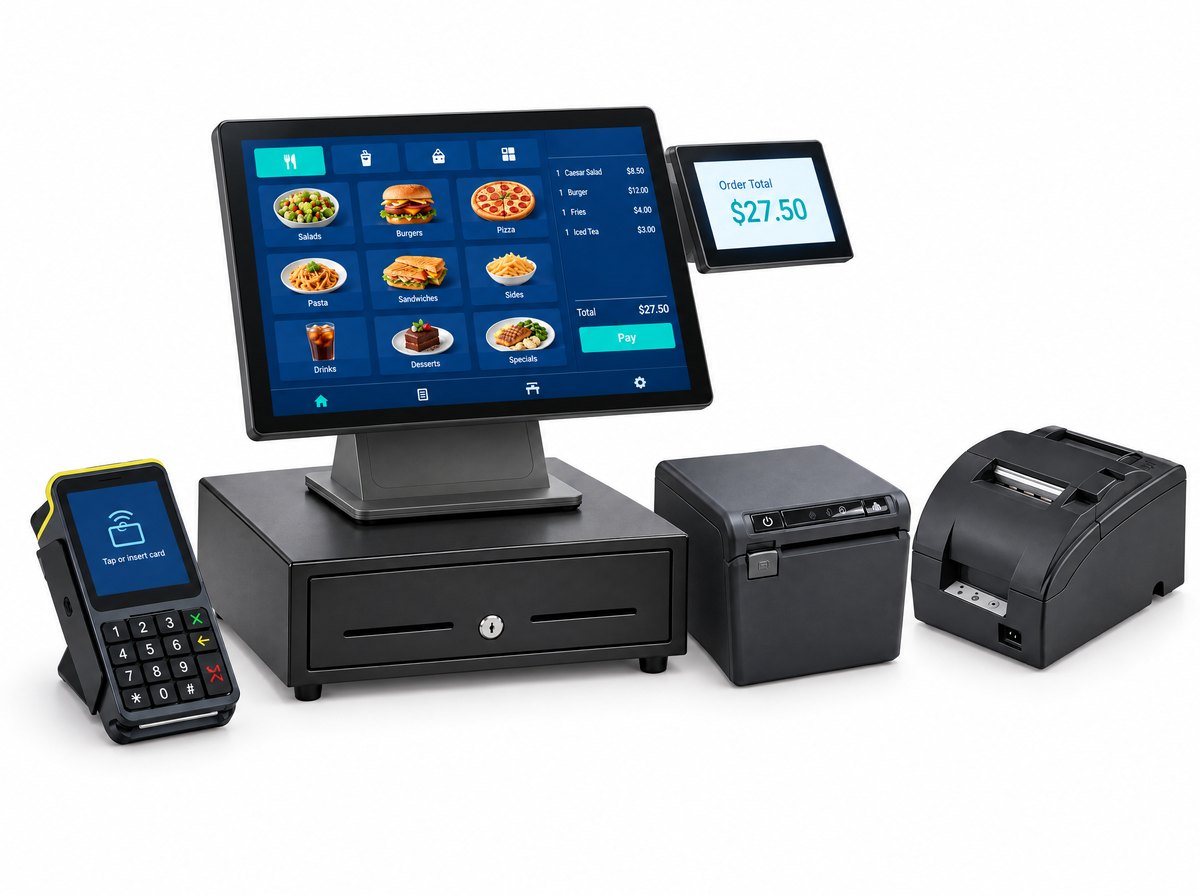
Quantic touchscreen station with a customer-facing display, pin pad, cash drawer and printers Configured in Anchorage

Feature guides

Go deeper on the parts that matter most.

Looking for your kind of business? See restaurants & bars or retail.

At the counter

Fast for the person ringing, clear for the person paying.

Quick ring-upBig buttons, modifiers and favorites. A new hire learns it on shift.
Tables and tabsA floor map of your room, split or merge checks, a card on file for the tab.
Pay at the tableThe Quantic Lite handheld takes the order and the card at the table or the truck window.More →
Two prices, done rightCash and card prices on the receipt, the service fee on its own line, set up at install.
Receipts your wayPrinted, texted or emailed, with suggested tips printed on the slip.
Customer displayShows the order and the total as it's rung, so mistakes get caught at the counter.More →

Kitchen and online orders

Every order lands in one place.

Kitchen displayTickets by station, bumped when they're done, with order times so you can see the rush.More →
Printers by stationGrill, fryer, bar. Each item prints where it gets made.
Your own online orderingOrdering on your website and QR menus, from the same menu as the register.More →
Delivery apps in the POSDoorDash, Uber Eats, Grubhub and 30+ more print in the kitchen. No tablets on the pass.
Delivery dispatchSend your own online orders out with a DoorDash Drive driver, right from the register.
Kiosks and menu boardsSelf-order kiosks and digital menu boards, on the same menu as your register.More →

Inventory and the back room

Stock that matches the shelf.

Barcodes and itemsScan a UPC or make your own. Items sold by size, weight or length.
Real-time stockCounts drop as you sell, with the value of what's on the shelf.
Vendors and purchase ordersBuild the order, email it to the vendor, receive against it when the freight comes in.More →
Labels and tagsPrint from the item record. Change a price once.
Age check at the scanAge-restricted items prompt for ID before they ring.
One stock, store and webYour online store sells from the same inventory as the counter.

Customers, staff and the numbers

Know who comes back, who's on shift, and what sold.

Customer profilesPurchase history and notes, so a regular's usual is one tap away.
Loyalty and gift cardsPoints that bring people back. Gift cards in plastic or digital.
Texts and couponsSend an offer to the people who already buy from you, and see what it brought in.
Reservations and waitlistBook tables and run the wait from the same screen as the floor map.
Staff logins and clock-inEach employee logs in with their own code, and can clock in by QR code. Permissions by role.
Reports on your phoneSales by hour, item or server in real time, on the phone app, from anywhere.

Some of these come with higher software tiers. See what's in each tier.

What we add around it

The software is the same everywhere. The setup isn't.

Built before it shipsYour menu or item file, the network and the pin pad set up and tested on our bench in Anchorage.
Cards keep runningThe pin pad keeps taking cards when the internet drops, on a network we monitor.
Someone answersA person in Anchorage, in your time zone. Spares on the shelf, replacement on the next flight.

Straight answers

What people ask about the system itself

Is it hard for staff to learn?

The hard part is the setup, and we do that. We build your menu or item file before install day, then train whoever is on shift and stay until the first real orders go through. After that it's big buttons and the same screens every day.

What happens when the internet goes down?

The pin pad keeps taking cards while the internet is out. We install and monitor the network ourselves, so we see the outage too, and a person in Anchorage answers when you call.

Does it run on an iPad?

Quantic runs on iPad and Android tablets as well as its own commercial stations and handhelds. We install the commercial hardware because it's built for a counter: a stand that doesn't tip, a printer and drawer wired in, and a pin pad made for taking cards.

Can I check sales from home?

Yes. Sales by hour, item or server update in real time in the phone app, so you can see how the night is going without being there.

Can you bring my menu or item list over?

Yes. Menus, items, prices, barcodes, vendors and customers come across before install day, so you don't open with an empty register.

Am I locked into one card processor?

No. The software works with more than one processor, so changing how you take cards later doesn't mean replacing your register. With us, processing is interchange-plus or cash discount, with no term either way.

Can I see it before I buy?

Yes. Text or call (907) 290-8555 and we'll walk you through it on a live unit: your kind of menu or shop, ringing real orders.

See it run

Get a walkthrough on a live unit.

Tell us what you sell and how you run the counter. We'll call within one business day and show you the system on your kind of menu or shop, ringing real orders.

(907) 290-8555 · text us

See the prices, or build it now.

Every kit, license and fee is on the pricing page. Pick your type of business, build your system and check out online, or call and we'll do it with you.

Build your system